
Finding a reliable live tv hd iptv player for entertainment 24 7 is the ultimate objective for modern cord-cutters who demand continuous broadcast access without traditional cable limitations. Whether you want background news running continuously in your home office, round-the-clock classic comedy series marathons, or immediate access to overseas sports championships at 3:00 AM, standard streaming services often fail to provide persistent, high-definition broadcast channels that run without automated timeout screens or server crashes.
In this in-depth architectural guide, our lab evaluates what it takes to configure a true 24/7 high-definition IPTV setup. We explore the best player software, hardware acceleration settings, anti-freeze network protocols, and how BuyIPTV24X7 delivers over 18,000 live streams and dedicated round-the-clock entertainment channels with exceptional stability.
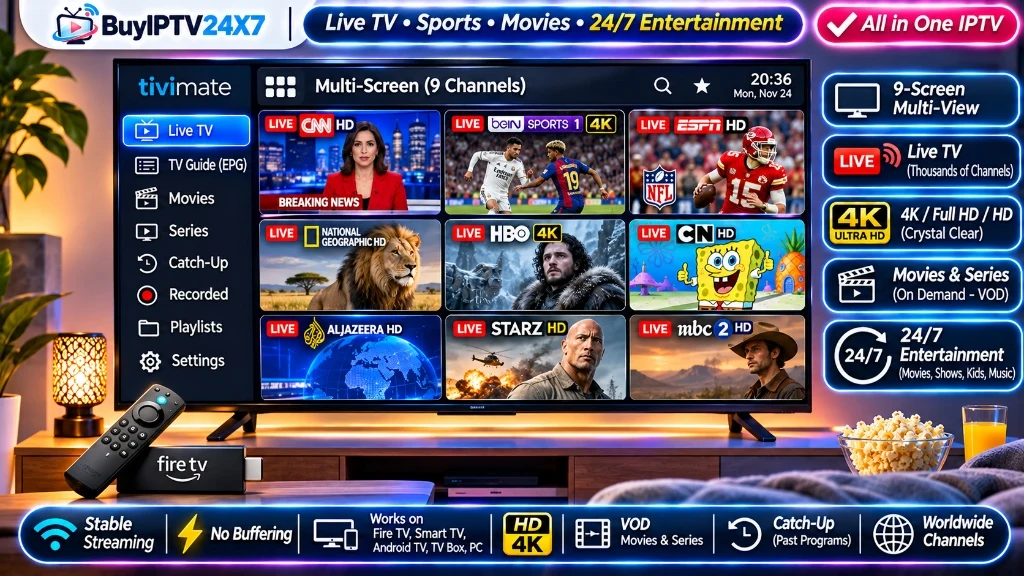
What Makes a Live TV HD IPTV Player for Entertainment 24 7 Truly Stand Out
Standard subscription video-on-demand (SVOD) platforms like Netflix or Disney+ are fundamentally designed for episodic watching; if you do not touch your remote control for three episodes, playback pauses with an intrusive prompt. A true internet protocol television entertainment environment operates on a traditional linear broadcast paradigm: the stream never stops until you turn off your display.
To deliver continuous, uncompromised 24/7 playback, an IPTV ecosystem must satisfy four core engineering requirements:
- Persistent Ingest Feeds: The server infrastructure must maintain uninterrupted connections to satellite and fiber broadcast downlinks without daily dropped packets or unannounced stream restarts.
- Dynamic Load Balancing: Server clusters must dynamically route user traffic away from saturated network nodes during peak primetime hours to minimize buffering.
- Optimized Client-Side Memory Management: The media player application installed on your streaming stick or television must release cached frames continuously to prevent out-of-memory (OOM) operating system crashes after twelve or twenty-four hours of constant decoding.
- Comprehensive Electronic Program Guide (EPG): Navigating thousands of channels requires high-speed XMLTV guide population that updates seamlessly in the background without freezing the user interface.
Configuring Your Live TV HD IPTV Player for Entertainment 24 7 Across Devices
Transforming your consumer device into an always-on entertainment terminal requires selecting the right software application for your hardware platform. Below is an engineering overview of the top players suited for round-the-clock streaming:
| Media Player Application | Supported Platforms | Strengths for 24/7 Viewing | Catch-Up Integration | Recommended Codec Setting |
|---|---|---|---|---|
| TiviMate IPTV Player | Android TV, Google TV, Fire OS | Exceptional UI, Multi-View, Auto-Start on boot | Full 7-Day Support | Hardware (MediaCodec) |
| IPTV Smarters Pro | Android, iOS, Windows, Mac, LG webOS | Cross-platform versatility, easy Xtream login | Supported | Hardware Acceleration |
| XCIPTV Player | Android TV, Amazon Firestick | Modern dual-player engine (ExoPlayer + VLC) | Supported | ExoPlayer Native |
| iPlayTV / UHF | Apple TV (tvOS), iPadOS, iOS | Fluid 60fps animations, iCloud sync | Supported | Metal-Accelerated A15/A16 |
| VLC Media Player | Windows, Linux, macOS, Android | Raw stream resilience, custom network buffer | Manual Playlist | Direct3D11 / OpenGL |
→ Zero-Packet-Loss Ethernet (Cat6 / 5GHz Wi-Fi) → Low-Thermal Display Engine (Auto Sleep Disabled) → 24/7 Linear Screen (News / Comedy / VOD)
Optimizing TiviMate for Continuous 24/7 Playback
If you are running an Amazon Fire TV Stick 4K or an Android TV box, TiviMate is the gold standard. Configure these crucial settings to prevent unintended interruptions:
- Navigate to
Settings > Playback > Buffer sizeand set it to Large (or5000ms). This creates a five-second local cushion that absorbs minor broadband latency spikes without stalling audio or video. - Navigate to
Settings > Playback > Auto frame rate (AFR)and enable it. This synchronizes your television refresh rate (60Hz, 59.94Hz, or 50Hz) to the exact broadcast frame rate, eliminating motion judder during live sports. - Disable the OS sleep timer: On your Fire TV, navigate to
Settings > Display & Sounds > Screen Saverand set the Sleep Timer to Never to ensure your continuous entertainment feed remains visible.
For step-by-step installation instructions on your favorite hardware, consult our comprehensive IPTV setup guide.
Channel Lineup and High-Definition Entertainment Coverage on BuyIPTV24X7
An advanced media player is only as capable as the stream credentials powering it. With a subscription from BuyIPTV24X7, subscribers access an expansive, redundant channel lineup specifically organized for continuous viewing:
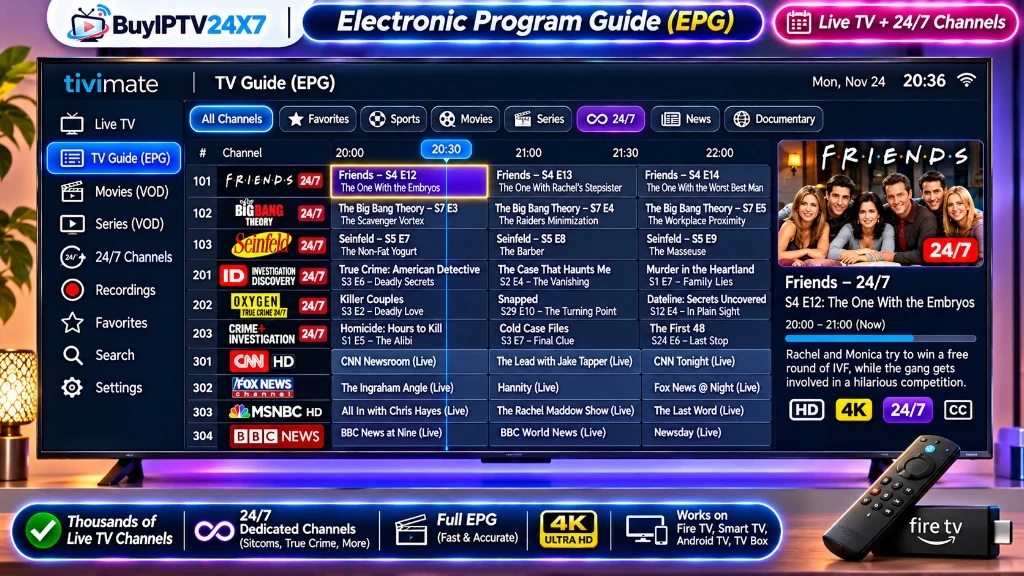
1. Dedicated 24/7 Thematic Channels
Unlike traditional television where programs shift every thirty minutes, our 24/7 thematic category features dedicated continuous streams dedicated to single legendary series, genres, and franchises:
- Classic Comedy Marathons: Continuous, commercial-free loops of beloved sitcoms including The Office, Friends, Seinfeld, and Parks and Recreation.
- True Crime & Investigative: Round-the-clock forensic documentary channels featuring non-stop episodes of Forensic Files, Dateline, and Cold Case Files.
- Nature & Exploration: Continuous 4K and FHD high-bitrate nature broadcasts including Planet Earth, National Geographic Wild, and oceanic documentary feeds.
2. Live Broadcast & Premier Networks
Subscribers enjoy direct feeds from over 100 top-tier United States cable and over-the-air channels. Check the verified USA channels lineup to confirm live access to NBC, CBS, ABC, Fox, HBO, Showtime, ESPN, Fox Sports 1, and regional sports networks.
3. Integrated Video on Demand (VOD)
When you prefer curated cinema over live broadcasts, explore our library of the latest on-demand movies, updated regularly with 4K releases, complete subtitles, and crystal-clear 5.1 surround sound audio tracks.
Preventing Playback Freezes on 24 7 Entertainment Streams
Running a digital video stream for twenty-four consecutive hours places unique demands on both your home network and your playback hardware. If you notice stuttering or crashes during extended viewing sessions, implement these proven engineering fixes:
1. Manage Device Heat and Thermal Throttling
Compact streaming dongles (like standard Firesticks or Chromecast dongles) generate substantial heat during continuous H.265/HEVC hardware decoding. When the system-on-a-chip (SoC) exceeds 75 degrees Celsius, it automatically downclocks its CPU and GPU cores, resulting in dropped frames and software stutter.
- Use the included HDMI extender cable to keep the stick away from the warm back panel of your television.
- Consider upgrading to a dedicated set-top box with active cooling or a larger chassis, such as the NVIDIA Shield TV Pro.
2. Transition to Hardwired Cat6 Ethernet
While 5GHz Wi-Fi delivers impressive burst speeds, wireless connections inevitably experience brief packet collisions caused by microwave ovens, neighboring Wi-Fi routers, or Bluetooth peripherals. A wired Ethernet connection eliminates packet jitter entirely, ensuring your 24/7 stream never experiences data starvation.
3. Optimize RAM Usage
Lower-tier streaming sticks feature only 1GB to 1.5GB of operating memory. Over twelve hours, background Android processes can consume available RAM. Install a background task manager (like "Background Apps and Process List" on Fire TV) to force-close unused applications before launching your IPTV player.
For additional network diagnostics, explore our troubleshooting guide on IPTV 4K streaming.
Pricing Plans for 24 7 HD IPTV Entertainment Access
At BuyIPTV24X7, we believe premium entertainment should be accessible, affordable, and free from predatory recurring billing. We offer transparent one-time access passes with zero contract obligations:
| Subscription Duration | Upfront Price | Monthly Breakdown | Live Stream Access | Catch-Up Window | Support Channels |
|---|---|---|---|---|---|
| 1-Month Access Pass | $11.99 | $11.99 / mo | 18,000+ Channels | Standard Live | 24/7 WhatsApp Concierge |
| 3-Month Access Pass | $29.99 | $10.00 / mo | 18,000+ Channels | 4-Day Catch-Up | 24/7 WhatsApp Concierge |
| 6-Month Access Pass | $44.99 | $7.50 / mo | 18,000+ Channels | 7-Day Catch-Up | Priority VIP Routing |
| 1-Year Access Pass (Recommended) | $69.99 | $5.83 / mo | 18,000+ Channels | 7-Day Catch-Up | Priority VIP + 7-Day Refund |
| 2-Year Access Pass | $119.99 | $5.00 / mo | 18,000+ Channels | 7-Day Catch-Up | Ultra-Low Latency Cluster |
Explore all tier details on our IPTV plans page or connect directly with our deployment engineers on WhatsApp to activate your account within minutes.
Launch Your 24/7 HD IPTV Entertainment Setup
Unlock 18,000+ live channels, dedicated 24/7 thematic loops, and 7-day Catch-Up TV with instant WhatsApp activation.
Frequently Asked Questions About Live TV HD IPTV Player for Entertainment 24 7
Can I run a 24/7 stream in the background while working?
Yes. Many users run TiviMate or IPTV Smarters on a secondary computer monitor, tablet, or wall-mounted smart display. Because BuyIPTV24X7 utilizes high-efficiency H.265 compression, streams consume modest bandwidth (typically 6 to 12 Mbps for 1080p), allowing you to work online without compromising internet speeds.
How does Catch-Up TV enhance 24/7 viewing?
If you miss a live sports event or primetime broadcast that aired earlier in the week, Catch-Up TV allows you to navigate backward up to 7 days in your electronic program guide and replay the entire broadcast on demand with full fast-forward and rewind controls.
Can I share my credentials across multiple household devices?
Standard passes provide single-connection active streaming. If you require simultaneous streaming across multiple televisions or mobile devices within your household, contact our WhatsApp support team for multi-screen access options.
What should I do if a 24/7 channel loop momentarily freezes?
Press the back button on your remote to return to the guide and re-select the channel, or toggle the channel up and down. This instantly clears the player buffer and initiates a fresh handshake with our media servers.
Conclusion: Upgrade Your Home Entertainment Today
You no longer have to endure overpriced cable bills or restrictive streaming apps that turn off when you want continuous viewing. By pairing a high-performance live tv hd iptv player for entertainment 24 7 with the enterprise server infrastructure of BuyIPTV24X7, you unlock a reliable digital television experience.
Take the first step toward superior streaming. Browse our subscription passes or message our customer concierge on WhatsApp to start watching right now.